
Cycle Counting
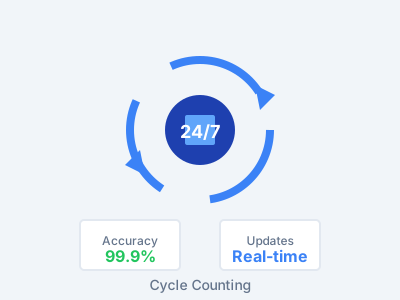
Keep your parts inventory right all year long. Count a few bins each day. Track lost sales from stockouts. See where your counts are off — without the hassle of annual counts.
The Problem
- Counts go wrong between yearly physicals
- You lose sales from phantom inventory — but don't know how much
- Too much stock ties up cash
- No way to see which bins haven't been counted
- Hard to spot shrinkage or count trends
Our Solution
- Real-time inventory accuracy with analytics
- Cycle counting all year long
- Lost Sales Report shows the dollar cost of every stockout
- Bins Not Counted report makes sure nothing is missed
- Accuracy trends show your progress over time
Everything You Need for Year-Round Accuracy
Cycle Counting
Count bins on a rotating schedule during normal work hours. No shutdowns. No lost time. Just 15 minutes a day keeps counts right all year.
Lost Sales Report
Put a dollar amount on every stockout. See how much bad counts cost you — by part, by bin, by time range. The ROI case writes itself.
Analytics Dashboard
Track accuracy trends over time. See how many counts are done. Break down gaps by bin, group, or user. Watch your numbers get better each month.
Bins Not Counted
See which bins still need to be counted this cycle. Make sure every bin gets checked. No blind spots in your counts.
Real-Time DMS Sync
Fixes sync to your DMS right away. No batch jobs. No waiting. Count a bin and the update posts at once.
Complete Audit Trail
Every count, every change, every user — fully tracked. Filter reports by worker, route, bin, or date range.
Know Exactly What Inaccurate Inventory Is Costing You
Most parts teams know their counts are off. We're the only system that shows you the dollar cost.
Lost Sales Report
A customer needs a part. The DMS says it's in stock. But the shelf is empty — that's a lost sale. Our Lost Sales Report catches every one of these events. It shows the dollar impact. Filter by part number, time range, or bin to find your biggest problems.
- Dollar value of every stockout
- Most frequently affected parts
- Trend analysis over time
- Prove the value of cycle counting with real numbers
Analytics Tab
The analytics tab gives parts managers a control center for inventory health. See accuracy trends get better over time. Track count rates by zone. Dig into gaps by bin, group, or counter.
- Accuracy trends over time
- Count completion rates
- Gap breakdown by bin, group, or user
- Past vs. present data to measure progress
Track, Archive, and Count with Less Effort
Touched Bins Report
See exactly which bins were touched during cycle counting. Export the full list to PDF or Excel for your records or to hand off to a manager.
Perpetual Archive Manager
Roll up your perpetual scans by date, expand any day to see the bins that were counted, and archive by a whole day or an individual bin — so your active count list stays clean.
Refreshed Scanner Counting
The scanner's counting screens have a cleaner look, with a per-bin progress bar that shows how many parts you have scanned out of the bin total. Pop-up alerts like Wrong Bin and Part Not Found now play a sound so you never miss them while counting.
How Cycle Counting Works
Configure
Set up count schedules and reorder points.
Count
Staff does quick daily counts during normal work.
Adjust
Review and approve adjustments in real-time.
Monitor
Track inventory health through dashboard analytics.
What Our Customers Achieve
Year-round accuracy instead of once-a-year counts
Average yearly revenue saved by fixing phantom inventory stockouts
Less cash tied up in extra stock means more money for what matters
That's all it takes — 15 minutes of daily counting replaces big yearly shutdowns
Daily Productivity Tracking, Not Just Annual Events
Competitors only measure performance during inventory events. ScanIt Parts tracks your team's productivity every single day.
Parts Per Day, scans by type, employee performance — measured every day, not once a year
Variance analysis, accuracy trends, lost sales, bins not counted — all exportable to Excel
Compare performance across years. Some competitors auto-delete after just 18 months
Access your accuracy metrics, lost sales data, and team performance from any device, anywhere
"The Lost Sales Report showed us how much phantom inventory was costing us. Once we started cycle counting, we stopped dreading the yearly physical. Now we keep 98% accuracy all year."Jennifer Martinez Parts Director, Martinez Auto Group
Ready to Achieve Year-Round Inventory Accuracy?
See how ScanIt Parts can help you keep stock levels right every day of the year.