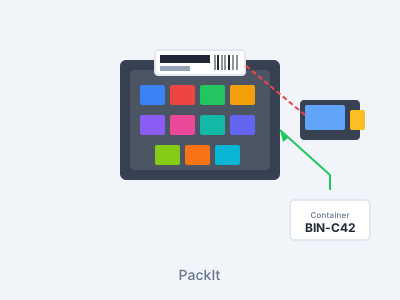
PackIt
Two powerful features in one: organize small parts into labeled containers for instant lookup, and pack orders into shipping containers with scan verification. Packing Station dashboard, box labels for every container, and real-time status tracking.
Currently available for CDK Drive dealers. DealerTrack and AutoMate are on the IPS roadmap. The rest of ScanIt Parts (Receiving, Bin Changes, Cycle Counting, Part Inquiry, POS, Returns) is unaffected. Contact us to be notified when your DMS is ready.
The Problem
- Small parts scattered across multiple locations
- No way to verify the right parts are in each order
- Two people packing the same order at the same time
- No visibility into what's packed vs. what's waiting
- Manual shipping label creation wastes time
Our Solution
- Container organization with barcode labels and instant lookup
- Order packing with scan verification for every part
- Invoice locking prevents two packers on the same order
- Packing Station dashboard shows what's waiting and what's ready
- Box labels for every container, printed straight from the packing workflow
Organize Small Parts Efficiently
Container Labels & Lookup
Print barcode labels for every container. Scan a part number to instantly see which container it's in, or scan a container to see everything inside. No more searching through boxes.
Order Packing Verification
Scan each part as you pack it into a shipping container. The system verifies the right parts go in the right box and tracks how many containers each order needs. Every action logged for audit.
Packing Station Dashboard
Web-based dashboard with two views: Needs Packing shows orders waiting to be packed, and Ready to Ship shows fully packed orders. Filter by route, ship via, or search by invoice.
Invoice Locking
When someone starts packing an invoice, the system locks it so nobody else can pack the same order. Prevents duplicate packing and conflicts between multiple packers working simultaneously.
Container & Box Labels
Every container gets its own barcode label, and each packed box gets a shipping label you can print in Portrait or Landscape. Reprint any label from the Ready to Ship view.
Real-Time Status Updates
As parts are packed on the scanner, the Packing Station dashboard updates instantly. Everyone sees the same live status — no refreshing needed. Automatic route assignment when packing is complete.
How PackIt Works
Create Container
Create a new container and print a barcode label. Use containers for small parts storage or for packing orders for shipment.
Scan Parts In
Scan the container, then scan each part. For storage containers, parts are organized for quick retrieval. For order packing, each part is verified against the invoice.
Track & Manage
The Packing Station dashboard shows what's packed and what's waiting. Scan any container to see its contents. Move parts between containers or remove them as needed.
Ship or Pick
Packed orders move to dispatch for route assignment and truck loading. Storage containers keep small parts organized and findable with a single scan.
Transform Small Parts Storage
Know exactly which container has the part you need
Consolidate small parts to free up valuable shelf space
Every part is tracked and accounted for in its container
Benefits of PackIt
Find Any Part in Seconds
Scan a part number and go directly to the right container. Scan a container to see everything inside. No more digging through unlabeled boxes.
Pack Orders Accurately
Scan verification ensures the right parts go in the right shipping container. Invoice locking prevents conflicts when multiple people are packing at the same time.
Real-Time Packing Status
The Packing Station dashboard updates live as parts are packed. Everyone sees the same status — what needs packing, what's in progress, and what's ready to ship.
Labels Built In
Print container and box labels right from the packing workflow — no separate label software to set up. Ready to Ship keeps every packed order and its box count in one place.
PackIt on the Handheld
Packing features work on the scanner and the web dashboard. Use both together for maximum speed.
Invoice Filtering
Filter invoices by ship-via or route on the scanner. See only the orders you need to pack right now. Tap an invoice to see every part with quantity and status.
No-Container Mode
Not every order needs a container. Large or single-item orders can be packed without selecting a container. Scan the part, confirm the pack, and move on.
Truck Bin Removal
Remove individual parts from truck bins or clear entire invoice headers. Scan a part to pull it off the truck. Handles partial loads and last-minute changes.
PackIt Connects Everything
Parts flow from PickIt into PackIt, then straight to Dispatch and Delivery. One continuous pipeline.
Ready to Streamline Packing & Organization?
See how PackIt can organize your small parts, verify order packing, and label every box — all from one system.